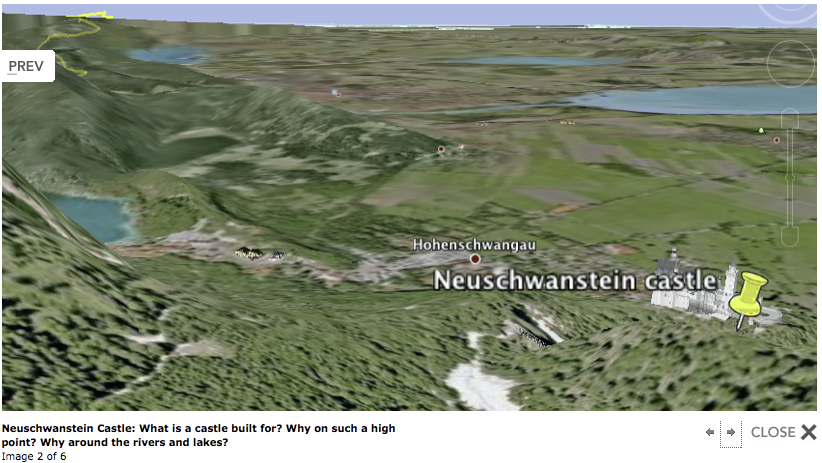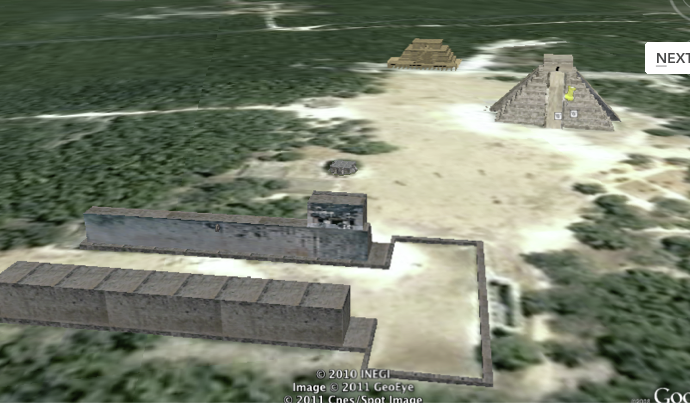
![]() Do you remember those geography lessons in middle school? Hours of looking at flat maps of places you have never seen or heard of? How boring! Kids never really learned how to use a map until they could drive. Then reading a map was relevant. Today, we can excite and engage kids in understanding how geography impacts our world. In 3-d they can see how the land shifts as mountains raise and valleys fall. They can view street views of markets in Hong Kong, barges being filled in the harbor and watch as the sun sets over the mountains. They can plan attack routes of medieval castles! How to use the water routes to establish trade and so much more. Not to mention read articles about specific building and interesting places built right in to the program. I taught students for 25 minutes how to use google earth to tour the world, collect images and tag places we will study during the rest of the year. The list of places they visited is attached below and you can see several images they found and tagged as well. The students then read over the state standards (A. Use Physical maps--google earth is that--to analyze the reasons that human features are located in particular places. B. Describe the geographic factors and process that contribute to and impede (stop) the diffusion (culture, war, trade, technology, and innovations) of people, products and ideas from place to place.) and picked images they had tagged to explain their understanding of the these standards. Student's then created blogs that explained what they had learned from this tour. These blog were outstanding, insightful and clearly showed they had learned a great deal about how humans use geography to their advantage. I think the power of the FREE software was really shown today as we started to talk about the Vatican and the creation of the Catholic Church. Over 1/2 of my students pulled up google earth (without me mentioning it) and "Fly" to Rome to view this city state. They played their way to learning. Let Mike and I know how you are using google earth...or Science people GOOGLE SKY.

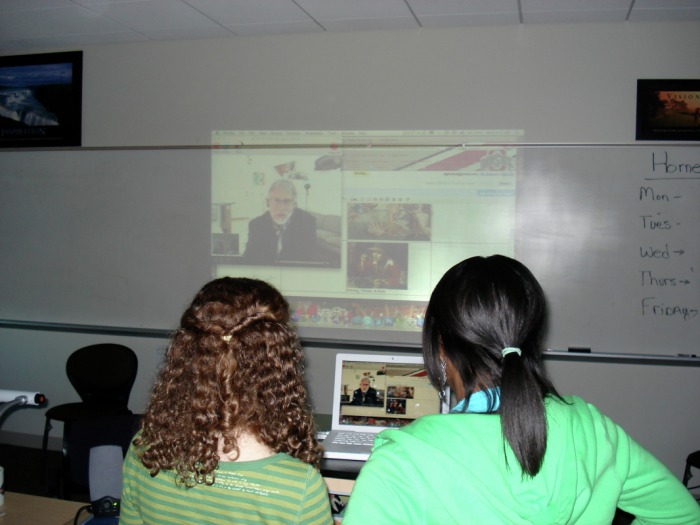
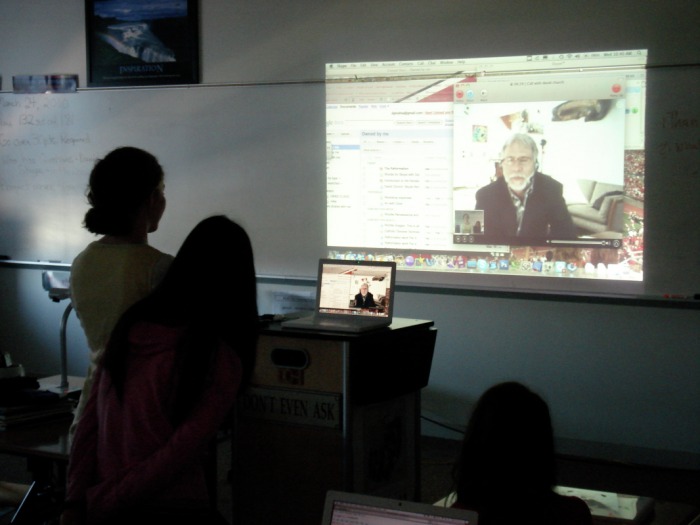
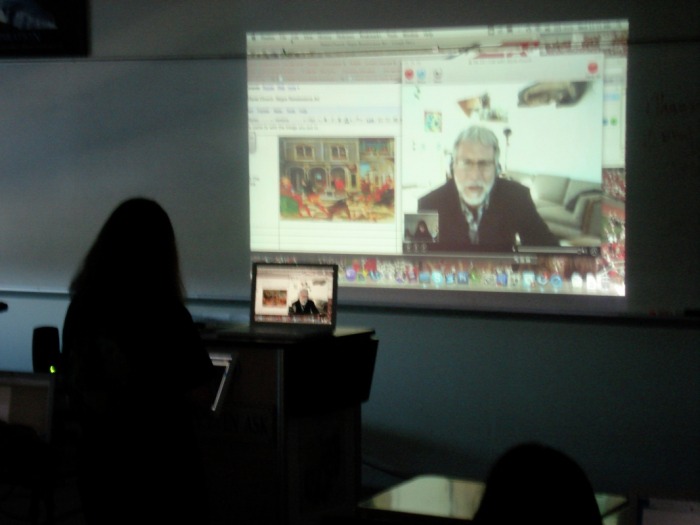
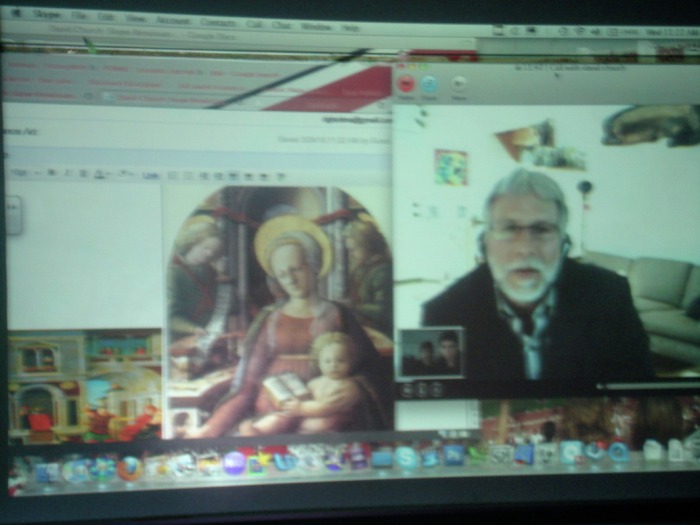
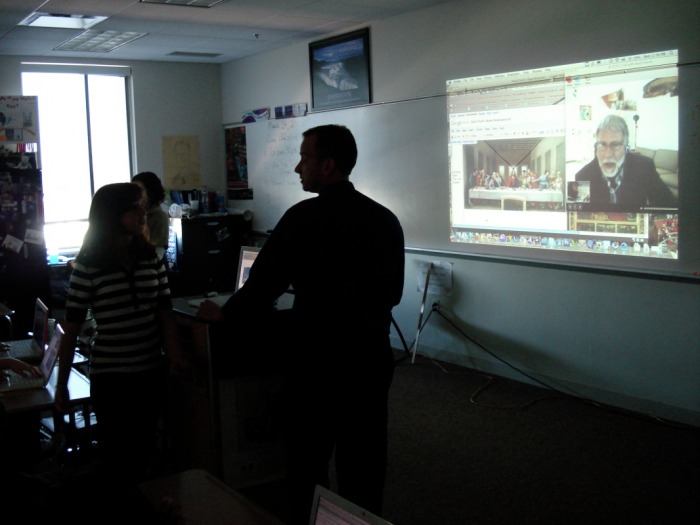
14 Comments This week, I used Skype and Google Docs to pull off a very exciting lesson. Jacob Francis, a student from Cleveland State University, who is observing in my classroom wrote a lengthy journal on the experience. I thought his observations and comments would be an outsiders perspective on this set of lessons. His introduction is below: In an era of rapidly expanding technological interconnectedness, it is only logical that the use of technology and communication should be integrated into the educational experience. Beachwood Middle School has fully embraced this philosophy by fully integrating technology into everyday classroom use. This past week in Mr. Holman’s class, I have had the opportunity to witness a variety of uses of technology, all harnessed to provide students with experiences that are not just technology rich, but are also interactive and collaborative. Through these experiences, students were able to learn from an expert in Renaissance art, collaborate on group projects, and for some, develop an interactive lesson that will eventually be taught to students at another school. All of these experiences were the culmination of several weeks of lessons about the Renaissance and the Protestant Reformation This week began with the students learning about Renaissance art from David Church, an art professor in Syracuse, NY. The students were taught by Mr. Church through Skype, a free Internet video conferencing program. During the Skype videoconference, the students followed along with a PowerPoint containing Renaissance art images, as well as provided feedback and questions to Mr. Church regarding the presentation through a Google Document. Through the combination of Skype and Google Documents, students can learn, ask questions, provide feedback, and receive responses to their questions in real time. This was not only an excellent way for these students to learn about Renaissance Art, but it was a way that everyone involved found enjoyable and highly informative. Additionally, the use of free programs (Skype and Google Documents) allowed for collaborative instruction with an expert who was hundreds of miles away at a bare minimum of expense. The teleconference with Mr. Church was just the beginning of 2 different types of culminating projects that would be completed by students over the course of this week. The majority of Mr. Holman’s classes would be working on group projects involving finding images of Renaissance art, and then building a podcast or movie that would be sent to Mr. Church to show them what they had learned. In a more ambitious project, Mr. Holman’s 3rd period class (which consists of only 6 students) is collaborating on a presentation covering both the Renaissance and Protestant Reformation, which will eventually be presented via videoconference over Skype to the entire 7th grade class at Chardon Middle School. I will discuss these projects and my impressions in further detail below. While my explanation may be a bit longwinded, I do not feel that it does these experiences justice to simply gloss over them in a succinct manner. Read more from the PDF below. I will comment more on this lesson at a later date.
Collaboration and Google Docs. 02/03/2010
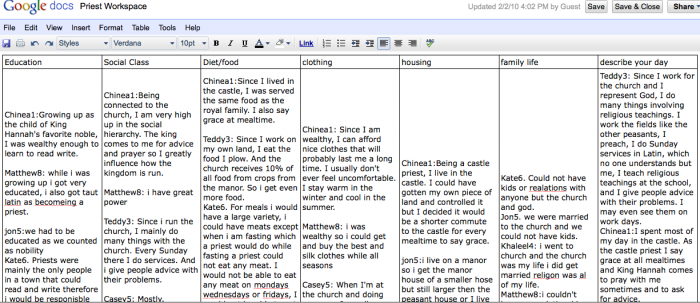
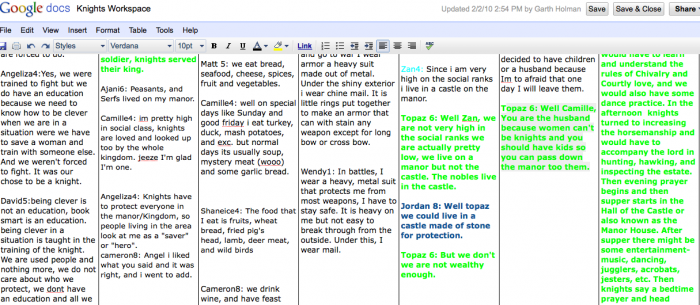
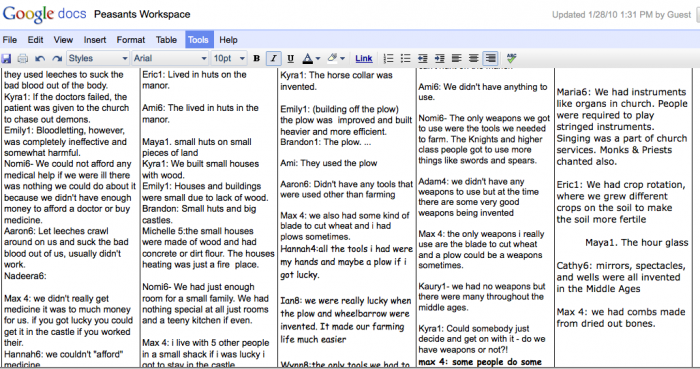
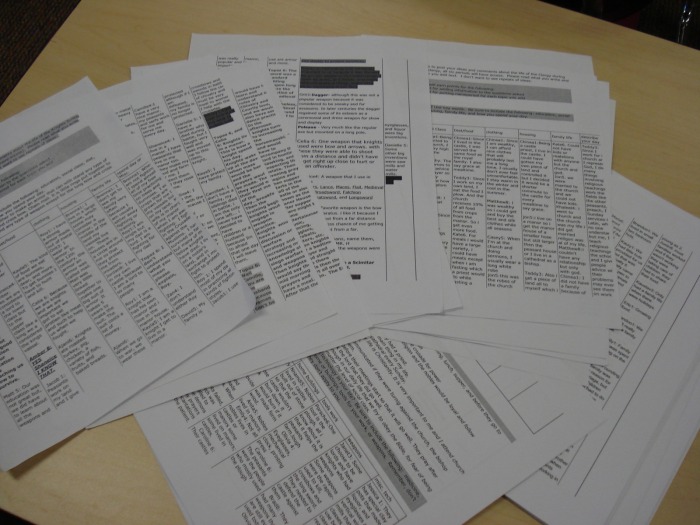
The Partnership for 21st Century skills outlines what it believes to be 21st Century skills today's schools need to be teaching. Ohio became part of this partnership in 2009. The partnership talks about the traditional three R’s and the four C’s. The four C’s include the following: 1. Critical thinking and problem solving 2. Communication, 3. Collaboration 4. Creativity and innovation I would like to address the collaboration idea in this post. For the last three weeks my students have been learning about the middle ages. They learned the basics from a webquest, while viewing their learning from the perspective of one member of the social hierarchy during the middle ages. While this webquest allowed student to explore different parts to the middle ages they did not have a great way to share what they were learning. I wanted them to blog, but blogs were not “opened” for the students on our network. So, I thought about what I could use. I have used google docs for online testing (Read Mike’s Post on google doc testing), surveys and collaboration with other teachers, so I created workspaces for each group in the social hierarchy. Students were able to share what they had learned with the kings, nobles, knights, clergy, or peasants from other classes in the middle school. Students had found had ideas, facts, stories that no one else had found and with google docs collaboration with ever seventh grader in the school was possible and LIVE. The images below give you an idea of what the final product looked like. I did print out the documents and ended up with 51 pages of information. I must say, almost all of it was good information…only one OMG, not bad for 109 12 year olds. Let my students tell you what they thought. These are comments from their journals: Connor: I liked google docs because I got to learn new things and I was able to respond to questions my self or add on to other comments. The thing about google docs is you can openly discuss what interesting facts you know and its is very close to a silent classroom with no side conversations. I liked how in google docs you could see what other people have written and branch off from that as opposed to a classroom where you could forget what that person said or what you were about to say. Nadeera: Yes I did like the Google Docs because it was sort of like blogging. We got to type about how we felt as a certain persons perspective. It was fun to me and I learned a lot. Caroline: Yes, I enjoyed the program because it gave us a chance to understand what other kids think about the same situation. It gave me new ideas and view points on the same topic and so many different thoughts about things I didn’t even learn yet. I learned the opinions of other kids and new view points on different topics. Orit: I liked working with google docs because a lot of people write what they know and then they can share it with others. From Google docs you can share ideas and stories that people didn’t know before and new things. In the middle ages I learned about a lot about knights, like what is a page and what is a squire. The middle ages was very interesting to learn about. I think that Google docs helped me to learn lots of different things. Kate: I liked google docs. I thought it was so cool how we could share thoughts without even talking to one another or seeing each other during the day, it helped share Ideas if one person found an interesting fact but no one else did they could share that easily. I also found myself going on google docs once or twice at home and checking to see what others had added. You could use google docs for pretty much anything if you were doing, a project it would be great. I hope we do another project where we use google docs, I liked how you could correct someone else too. I learned that priests helped out with medicine and I did not know that before, I also learned what they ate if they lived on a manor instead of a castle. Kids enjoyed the process, they learned from others and they “went home and looked”. Those are good things. By using google doc workspaces for students we create a free open place for them to learn a 21st century skill: collaboration. A few questions to think about: 1. How could you use this in your classroom? 2. How does this type of collaboration change teaching and learning? Online Testing with GoogleDocs 01/14/2010
Teachers need to be risk takers, they have to have the initiative and guts to try new ways of teaching and assessing students. To this end, I decided to give my students an online quiz on the enduring impacts of Rome. My goal is to make my quizzes and tests online and allow students to complete them at home by a certain date/time. I will discuss several things in this post: (1) mechanics behind implementing online quizzes and test; (2) the response of other teachers, administration and students; (3) pros and cons of online assessment. Click here to go look at the finished quiz that students completed. To create my online quiz, I used Google Docs. I simply create a new spreadsheet. Using the editing toolbar on my wikispaces site, I embedded the quiz and students simply went to my website, answered the questions and then submitted their work. Using Google Docs you can create written response answers and multiple choice. Very simple formatting, as Google Docs automatically formats your information. Students do not need an account with Wiki or Google to complete this quiz. Google Docs automatically places students responses into a spreadsheet, so grading is extremely easy; just read straight down each column to check student work. Google Docs also creates pie charts (for multiple choice questions) that tell you the percentage of students that choose each answer. This makes for very quick self-reflection on each question, one click and you can see if 90% of your students missed number two. Students completed their quiz during class in the computer lab. I have encountered several responses from other teachers and administrators. The first question from my principal was "how do you make sure students do not look at each others screens and cheat"? In the end, I think it is nearly impossible to eliminate cheating. BUT quizzes and tests do not occur often in my class, I use alternate forms of assessment. I use Tests and quizzes to monitor progress as we build a base of knowledge prior to completing projects or other forms of assessment. The majority of my students understand that while they receive points for tests and quizzes, in the end cheating only hurts themselves. Do I have students that cheat, of course, but you deal with that just like if they cheated on a paper test. Making questions that require a written response also helps eliminate cheating. As I walked around the computer lab, most students were so busy typing, they did not even bother to check on their neighbor. The idea of putting my tests online and allowing students to complete them at home means that I cannot control who they talk to and what they look at to answer questions, according to my administration. This is an issue of teaching philosophy. If my students go home and use each other, their notes, textbooks, and the internet to answer test questions; I think that is great. Not only are my students learning content, but they are learning problem solving and research skills. We are so connected that people "google" information and communicate with peers to find information all of the time. If two, three or ten students text each other with questions about why Roman roads are an enduring impact, then they are using technology to work together and solve a problem. That is more important than memorizing the name of emperor that built the road. My fellow teachers are split on the idea. Some do not trust their students to complete online assessment, other are all on board and I am doing an in-service next week to show them how to make their own online assessment. Students have began to leave feedback on my Wiki. All of it very positive. Many students have made comments about the trust I am showing in them, the fact that they feel like it is a college class and some simply like that they do not have to mess with paper. As for positives and negatives? I think the positives are numerous. No printed paper tests, secure and digital copy of student work (Can't loose students' tests!) and students reaction is overwhelmingly positive. Colleges teach entire courses online and they have been doing that for several years. If my seventh graders are exposed to online learning, then I am doing my job of preparing them for their futures. The biggest surprise to me is the quality of students' written work. With paper tests, I had to practically pull teeth to get students to give me more than three sentences for short-answer questions. With this first online test, students are giving me full paragraph answers, using examples from class and supporting their facts and opinions. It is not perfect, students will inevitably cheat and some students do not have home access to the internet, but these negatives are manageable. We have built in team-time during our school day where students can access a computer lab and complete their online assessments if they do not have internet at home. Kid's will always cheat, so I try and work around that. I let them use notes and each other. I encourage them to research and communicate before answering questions. All-in-all it was a very successful experiment. -Mike | CategoriesAll ArchivesFebruary 2012 | ||||||||||||


RSS Feed