21st Century Skills
 
Picture
Hi, I'm Hanna (Garth's daughter) I've been thinking I should write a blog so here it is. I've decided to write about something called voki. It's really cool first you pick a character then add to it, you can record your voice and make it say whatever you want. After my teacher showing me this I got thinking wouldn't it be cool to learn about maybe  Christopher Columbus and make a voki that looks like him and says a quote that he actually said. It would definitely help me remember so much better than just plain old notes. If you look below you can see one, its me!

Check out my Voki below....  Thanks, Hanna

Garth:  Well, Hanna showed me Voki a few weeks back (click here for teacher section of Voki--even a lesson plan database).  Her teacher, had them make voki's during class.  I added the image above to my classroom blog: http://www.7aworldhistory.com/(once on the site click Mr. Holman and you can see and hear my voice in my Voki).  Within three days, I bet 50% of my students had created voki's of their own and put them on their reflective blogs.  Kids love them and teachers, we should be able to find tons of ways to use these to help students learn.  Shot your ideas into a comment.  Well, Thank you Hanna for sharing this with me and others on Teachersfortomorrow.net


Picture
Studentsfortomorrow.net
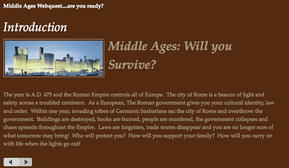
Garth and I have created a Middle Ages webquest which we will both be using, at the same time, to teach this unit of study.  We have posted the entire webquest to our classroom blog; a site which we have shared all year.  Students from both schools will research and learn side-by-side.  Our goal is to allow our students to communicate through GoogleDocs and Skype throughout this webquest.

The most unique thing about this webquest is that Garth and I built an entire 6 week unit of study without ever meeting face-to-face.  All of our work was done via Skype, GoogleDocs and our website.  We live nearly two hours apart and we created a co-taught unit from our home offices.

There are several parts of this webquest.  The traditional elements of a webquest exist; introduction, resources, tasks, etc, but we have also incorporated other elements.  Garth and I recorded a series of "computer-side chats" for the introduction and most of the tasks.  These podcasts are simply Garth and I talking about what the students will be researching in each task.  It is a chance for our students to hear two teachers debate, discuss and analyze the information that they are researching.  They also serve as mini-lectures.  These podcasts are a way for Garth and I to engage students in lecture material in a digital format.  We hint at answers, provide guidance, encouragement and enough foreshadowing of future tasks to help keep students interested.  We also added imagery and music along the way to keep students engaged in the content.  Images of castles and cathedrals, and the sound of chanting monks help create an environment that encourages empathy and inquiry in students.

Too often, teachers ask us how we assess what we do.  Everybody is concerned with data.  Along the way, throughout the webquest, we will use exit/entrance passes, rubrics for journal entries and weekly quizzes concerning the tasks students are completing.  While these assessments will help us gauge student learning; it is important to say that they are not the main thrust for this webquest.  We do not want students researching, learning and building connections just to pass a test and give us data.  We want to provide an enriching learning experience that engages students and helps them develop skills that are useful in life.  Our students can find information, analyze it, synthesis it, collaborate with it and construct meaningful conclusions about feudalism and the Middle Ages.

Right below this post is a short conversation between Garth and myself about how we constructed this project, some of the elements we created and our general thoughts concerning this unit of study.

-Mike


Picture
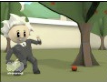
My building technology teacher, Craig Corfman, introduced me to a great piece of FREE software.  The software is called xtranormal.  It allows you to animate your writing.  If you have seen the new Geico Insurance commercial featuring Albert Einstein; then you have seen xtranormal in use.  It is a very simple program to use; I set some of my students to work with it and gave them no instructions or guidance.  Within two class periods, my students had created some great short films based on inventions from ancient civilizations.  Below I have included a film I created to introduce the concept of feudalism.  The program is free and all your work is stored online.  There are small fees to publish your movies. 

Here is the process: (1) choose your setting, characters, background noise; (2) write your script; (3) choose your camera angles, facial movements and body animations.  It’s that simple!  The film below I made in thirty minutes.  Talking to my intervention specialist, Jenna Daugherty, she had the idea of using it during creative writing assignments with the students.  The students that I allowed to explore this program became very engaged in writing and animating.  I saw students that have not written more than a few sentences for me all year, writing scripts that created entire short stories.  Great free resource to help engage your students in the writing process.   

-Mike


Picture
Do you remember those geography lessons in middle school?  Hours of looking at flat maps of places you have never seen or heard of?  How boring!  Kids never really learned how to use a map until they could drive.  Then reading a map was relevant.

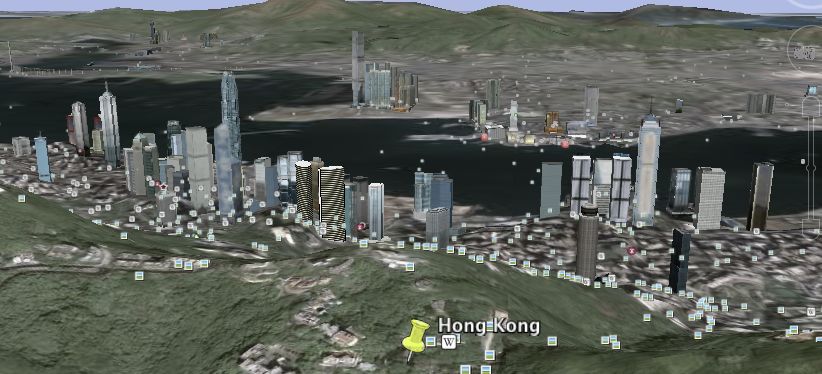
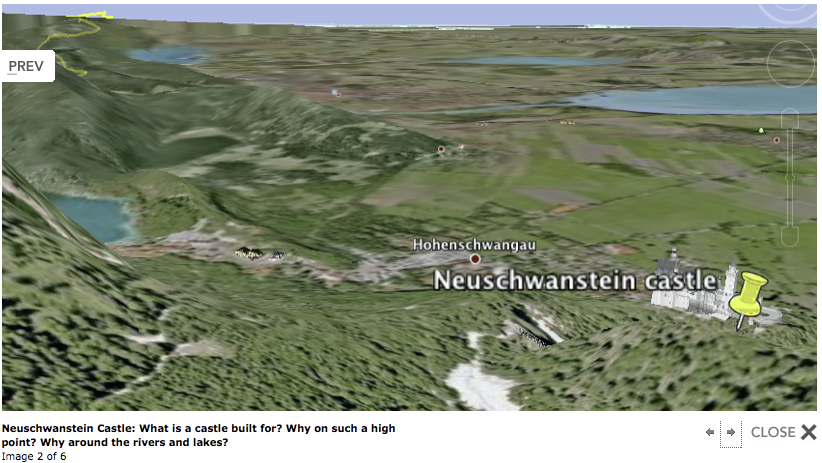
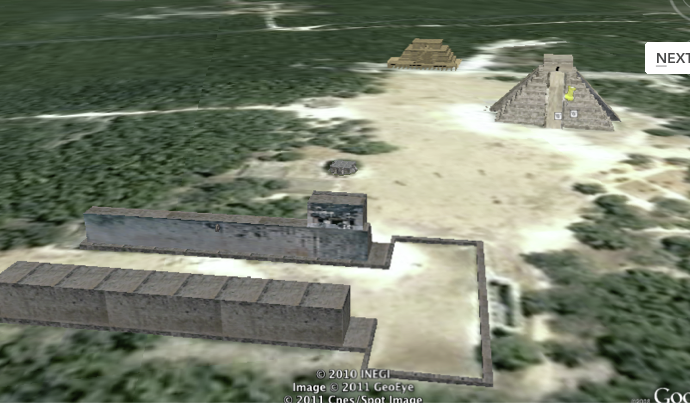
Today, we can excite and engage kids in understanding  how geography impacts our world.  In 3-d they can see how the land shifts as mountains raise and valleys fall.  They can view street views of markets in Hong Kong, barges being filled in the harbor and watch as the sun sets over the mountains. They can plan attack routes of medieval castles! How to use the water routes to establish trade and so much more.   Not to mention read articles about specific building and interesting places built right in to the program. 

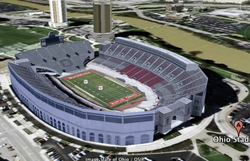
I taught students for 25 minutes how to use google earth to tour the world, collect images and tag places we will study during the rest of the year.  The list of places they visited is attached below and you can see several images they found and tagged as well.  The students then read over the state standards (A. Use Physical maps--google earth is that--to analyze the reasons that human features are located in particular places.  B. Describe the geographic factors and process that contribute to and impede (stop) the diffusion (culture, war, trade, technology, and innovations) of people, products and ideas from place to place.) and picked images they had tagged to explain their understanding of the these standards. 

Student's then created blogs that explained what they had learned from this tour.  These blog were outstanding, insightful and clearly showed they had learned a great deal about how humans use geography to their advantage.  I think the power of the FREE software was really shown today as we started to talk about the Vatican and the creation of the Catholic Church.  Over 1/2 of my students pulled up google earth (without me mentioning it) and "Fly" to Rome to view this city state.  They played their way to learning.  Let Mike and I know how you are using google earth...or Science people GOOGLE SKY.

googleeashunt.doc
File Size: 37 kb
File Type: doc
Download File